 Zawanah
 The first agent that I built is a personal scheduler, and it came from an urgent need.
I enjoy scheduling events and populating my calendar because.. I like the illusion of control over my time. 🙂↕️
However, each time I needed to add something to my Google calendar, I have to click and populate many fields at specific and different parts of my phone screen and this is such a high administrative burden.
That is the friction in my current “add to calendar” workflow so, I strive to remove it.

Setup Events & Flags Conflicts
Now, my personal scheduler turns my message into a scheduled event on my calendar automatically.
I no longer have to click into fields or apps and update the different types of fields. It interprets my request, checks for conflicts (and alert me if any), creates the event, then reports back to me.
Here’s an example where I schedule:
Art Science Museum session with Michelle on 6 June, for the entire afternoon.
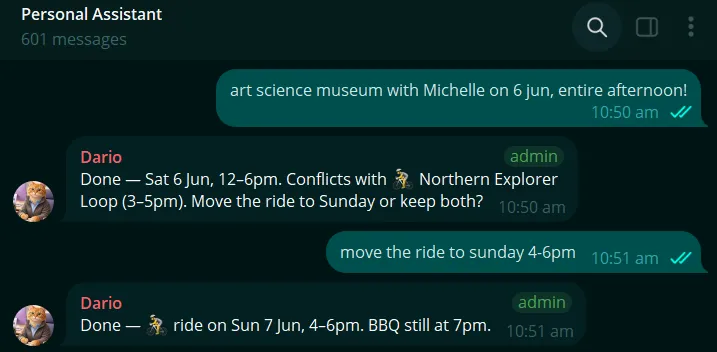
It flags the conflict with Cycling at the Northern Explorer Loop and suggests if I want to postpone the Sunday ride.
When I decided to move the Sunday ride, it did as instructed.
For events I signed up to attend, I can send a screenshot of the event details, and it can read and analyse the images, and extract event details to schedule the event. It also works with pdf, csv, jpg and png.
For example, I registered for an event on Luma, and sent a screenshot with the event details over:
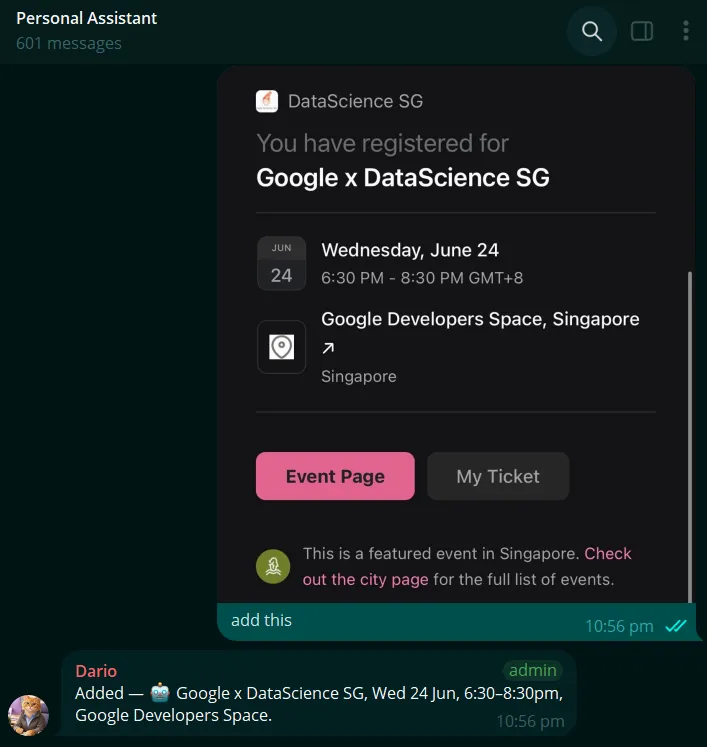
This also works for a pdf list of events, dates, and times.
Summary of Events in the coming week
It was helpful to summarise events coming up in the week so I can get ahead and prepare for it.
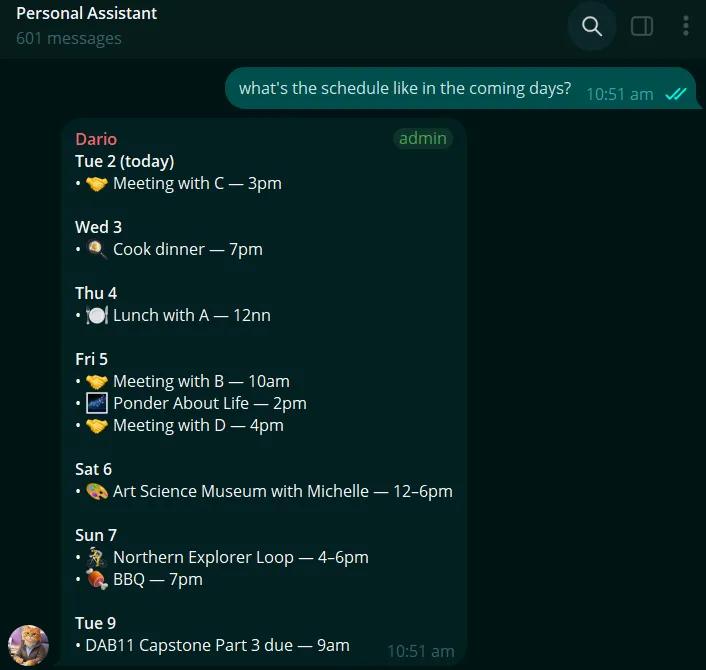
That was really all that I needed my personal scheduler to do: removing that simple frustration of clicking into an absurd number of fields to add an event. Summarising events for the coming week was a bonus that helped with focus for the week.